A product feed should not always include every product in the catalog. Some categories may not be suitable for Google Merchant Center, while others may be the main focus for Google Shopping or Performance Max campaigns. Magento 2 merchants need a practical way to control which products appear in the feed and a clear admin area for reviewing generated feed files.
MageHQ Google Shopping Feed for Magento 2 includes category whitelist and blacklist support, allowing store administrators to control product inclusion by category. It also provides an admin grid for generated feed files, showing store information, file path, feed URL, and last generated date.
Why Product Inclusion Control Matters
Large Magento 2 catalogs often contain many product categories. Some categories may contain products that are not ready for shopping campaigns. Other categories may be seasonal, internal, low priority, or not intended for Google Merchant Center.
Without category rules, merchants may need to manually clean feed output or create separate export logic. Category whitelist and blacklist support helps simplify this process by giving admins a direct way to include or exclude products based on category rules.
Category Whitelist Support
Category whitelist support allows merchants to define which categories should be included in the feed. This is useful when the store owner wants to export only selected parts of the catalog.
For example, a merchant may want to send only high-priority categories to Google Merchant Center. A whitelist approach helps keep the feed focused on the categories selected by the admin.
Category Blacklist Support
Category blacklist support works in the opposite way. Instead of selecting only categories to include, admins can define categories that should be excluded from the feed.
This is useful when most of the catalog should be included but certain categories should be left out. Blacklist rules can help remove products from categories that are not suitable for product feed export.
Choosing Between Whitelist and Blacklist Rules
Whitelist and blacklist rules support different catalog strategies. A whitelist is useful when a merchant wants tighter control and only wants selected categories exported. A blacklist is useful when most products should be exported but a few categories should be excluded.
MageHQ Google Shopping Feed supports both approaches, giving Magento 2 admins flexibility when deciding which products should appear in the generated XML feed.
- Use whitelist rules when only selected categories should be included.
- Use blacklist rules when specific categories should be excluded.
- Use category rules to keep feed output more focused.
- Reduce manual cleanup when preparing product data for Google Merchant Center.
Admin Grid for Generated Feed Files
Feed generation is easier to manage when admins can see generated files in one place. MageHQ Google Shopping Feed includes an admin grid for generated feed files.
The grid provides useful information such as store information, file path, feed URL, and last generated date. This gives store owners and administrators a clearer view of available feed files.
Store Information in the Feed Grid
Because the module supports multiple store views, store information in the generated feed grid is important. It helps admins identify which feed belongs to which store view.
This is useful for Magento 2 websites with different storefronts, languages, currencies, or market-specific store views. Admins can review generated feeds with clearer context.
File Path and Feed URL Visibility
The generated feed grid includes file path and feed URL information. File path visibility helps technical users understand where feed output is stored. Feed URL visibility helps merchants locate the public URL that can be used in the Google Merchant Center workflow.
Having this information visible in the admin area reduces the need to search manually through server directories or configuration files.
Last Generated Date for Feed Review
The admin grid also shows the last generated date. This helps admins quickly check whether a feed has been generated recently.
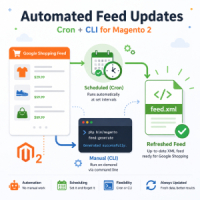
For stores using scheduled cron generation, the last generated date is a useful review field because it helps confirm feed generation activity.
Admin Control Without Overcomplicating the Workflow
MageHQ Google Shopping Feed focuses on practical feed management. Store admins can enable or disable feed generation, configure cron generation, use category whitelist or blacklist rules, and review generated feeds from the admin grid.
This gives merchants the control they need without requiring a fully custom product feed system. It helps keep feed management closer to normal Magento admin operations.
Best Use Cases for Category Rules and Feed Grid
- A merchant wants to include only selected categories in the Google Shopping feed.
- A store wants to exclude specific categories from feed export.
- An admin needs to review generated feed URLs for multiple store views.
- A technical user needs visibility into feed file paths.
- A store owner wants to check the last generated date for product feed files.
Better Control Over Magento 2 Product Feed Output
Product feed management is not only about generating XML. Merchants also need to control what goes into the feed and where generated files can be reviewed. MageHQ Google Shopping Feed supports category whitelist and blacklist rules, an admin grid for generated feed files, store information, file paths, feed URLs, and last generated dates.
For Magento 2 stores preparing products for Google Merchant Center, these admin-focused features help make feed management more controlled, visible, and easier to maintain.
Control which Magento 2 products appear in your Google Shopping feed
MageHQ Google Shopping Feed supports category whitelist and blacklist rules, plus an admin grid with store information, file paths, feed URLs, and last generated dates.
Explore Feed Management Features