Promotion Bar for Magento 2

In stock
- SKU
- promotion-bar
Live Demo
Frontend Demo
Backend Demo

Magento 2 Promotion Bar extension with many utilities
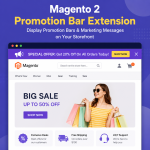
The Magento 2 Promotion Bar extension allows the online store to display announcements and promotions easily through small bars on the top of the page or some other place on the page, attracting customers' attention and increase store revenue.
This extension allows displaying many different ad bars on 1 slider, the content changes depending on the store owner's promotion campaign.
Create Unlimited Promotion Bars
Easily create and display multiple promotional bars across your Magento 2 store to highlight discounts, announcements, and marketing campaigns.
- Create unlimited notification bars
- Display promotions on multiple pages
- Manage campaigns directly from Magento admin

Display Multiple Promotion Bars in a Slider
Show multiple promotional messages in a responsive slider to improve visibility without overcrowding your storefront.
- Slider autoplay support
- Previous and next navigation controls
- Auto-close functionality

Flexible Promotion Bar Placement
Display promotion bars in multiple positions across your Magento store for maximum visibility and customer engagement.
- Top of page
- Above or below menu
- Above or below page content


Allow Customers to Close Promotion Bars
Improve user experience by allowing customers to close promotional bars with a single click.
Target Specific Customer Groups & Store Views
Display personalized promotion bars based on customer groups and store views to improve campaign targeting.
- Target wholesale or retail customers
- Display promotions by store view
- Create targeted marketing campaigns


Control Where Promotion Bars Appear
Choose specific Magento pages where promotion bars should be displayed, including product, category, cart, and checkout pages.
- Display on selected pages only
- Exclude specific products or categories
- Customize campaign visibility rules
In addition, this extension allows you to turn off promotion and notification bars on some categories, special products, you can enter the ID of the category and Product to hide the promotion bars.
Schedule Promotion Bars Automatically
Set start and end times for promotion bars to automate marketing campaigns and seasonal announcements.
- Schedule campaign start dates
- Automatically expire promotions
- Manage time-sensitive offers easily


Custom design promotion banner.
Preview the promotion bar in the admin page.


Easy promotion bar configuration with Magento 2 Promotion Bar.
Why Use Promotion Bars in Magento 2?
- Increase promotion visibility
- Highlight limited-time offers
- Improve customer engagement
- Drive more clicks and conversions
- Promote seasonal campaigns effectively
Common Promotion Bar Use Cases
- Announce flash sales
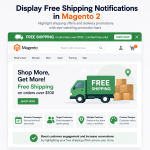
- Promote free shipping offers
- Display coupon codes
- Promote seasonal campaigns
- Share important store announcements
Frequently Asked Questions
Can Magento 2 display promotion bars by default?
No. Magento 2 does not include built-in promotion bar functionality by default.
Can I create multiple promotion bars?
Yes. The extension allows you to create and manage unlimited promotion bars from the Magento admin panel.
Can I schedule promotion bars automatically?
Yes. You can configure start and end dates for promotional campaigns and announcements.
Can I display promotion bars on specific pages?
Yes. Promotion bars can be displayed on selected pages such as product, category, cart, or checkout pages.
Does the extension support customer group targeting?
Yes. You can display different promotion bars for specific customer groups and store views.
Can customers close the promotion bar?
Yes. Customers can close promotional bars using the built-in close button option.
Does the extension support slider promotion bars?
Yes. Multiple promotion bars can be displayed in a responsive slider format.
Can I customize promotion bar colors and content?
Yes. You can customize text, colors, styles, and promotional messages directly from the Magento admin panel.
Is the extension mobile-friendly?
Yes. Promotion bars are responsive and optimized for desktop, tablet, and mobile devices.
Can I display coupon codes in the promotion bar?
Yes. The extension can be used to display coupon codes, free shipping offers, and marketing announcements.
Does the extension support Magento 2.4.x?
Yes. The extension supports Magento Open Source and Adobe Commerce 2.4.x versions.
Is the extension compatible with Hyvä themes?
No. The extension currently does not support Hyvä themes.
Can I show promotion bars above or below the menu?
Yes. The extension supports multiple placement positions across your Magento storefront.
Does the extension affect store performance?
No. The extension is optimized to maintain fast storefront performance and smooth customer experience.
Is technical support included?
Yes. MageHQ provides technical support and regular extension updates for supported Magento versions.
Customer Reviews
You can not add the review on this product as you have not purchased this product yet.
Why Choose MageHQ?
MageHQ develops reliable Magento 2 extensions focused on performance, compatibility, and simplified store management workflows.
Magento-Focused Development
We specialize in Magento 2 extensions built specifically for real-world eCommerce workflows and Magento store operations.
Clean & Optimized Code
Extensions are developed following Magento coding standards to ensure stability, performance, and maintainability.
Fast Technical Support
Our support team is available to help with installation, configuration, compatibility, and extension-related questions.
Easy Installation & Configuration
Simple installation and user-friendly configuration help merchants and developers get started quickly.