AI Product Recommendation
In stock
- SKU
- ai-product-recommendation
Live Demo
Frontend Demo
Backend Demo
Description
Magento 2 AI Product Recommendation Extension
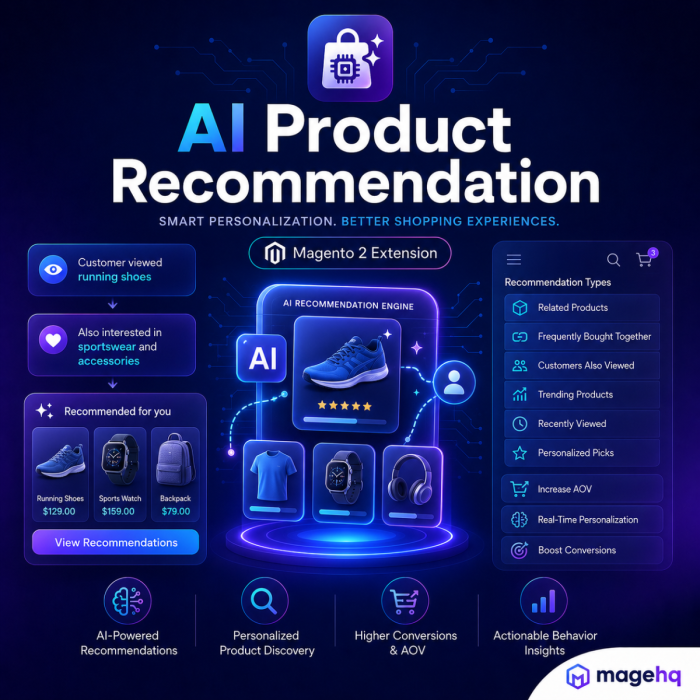
MageHQ AI Product Recommendation for Magento 2 helps merchants display smarter and more relevant product suggestions throughout the shopping journey.
The extension combines AI-powered recommendation services, vector similarity, recommendation rules, fallback logic, and storefront analytics to help customers discover suitable products faster and improve cross-selling and upselling opportunities.
Recommendations can be displayed on key storefront pages, including product pages, cart pages, category pages, the home page, CMS content, and checkout success pages.
Intelligent Recommendation Sources
The extension supports multiple recommendation sources and connection methods.
Merchants can use:
- MageHQ AI Commerce API
- Direct AI provider connections
- Local vector search
- Google Vertex AI
- Rule-based fallback products
- Manual fallback products
- Trending product fallback
The module separates AI similarity results from fallback recommendations, making it easier to understand how each product was selected.
Flexible Recommendation Rules
Create recommendation rules that control when and where recommendations appear.
Rules can be configured by:
- Store view
- Customer group
- Page placement
- Recommendation type
- Date range
- Sort order
- Number of products
- Product conditions
- Manual fallback products
Supported placements include:
- Home Page
- Category Page
- Product Page
- Cart Page
- Checkout Success Page
- CMS Block
Each rule can use its own product limit, display mode, conditions, and fallback configuration.
Recommendation Accuracy Control
The extension includes accuracy settings that help merchants control recommendation quality.
Features include:
- Enable or disable accuracy filtering
- Set a minimum match score
- Filter low-confidence AI recommendations
- Allow or disable fallback products when no AI result meets the threshold
- Debug mode for testing recommendation scores and sources
- Optional match percentage and match reason display
AI similarity scores, trending popularity scores, and fallback sources are handled separately to avoid misleading recommendation results.
Slider and Grid Display Modes
Recommendation rules can display products as either a slider or a grid.
The frontend supports:
- Responsive carousel layout
- Previous and next navigation
- Pagination dots
- Autoplay
- Desktop, tablet, and mobile item counts
- Responsive grid layout
- Server-rendered product cards
- Fast loading with cached recommendation results
The recommendation cards follow Magento product-list behavior while maintaining a clean and modern design.
Magento-Native Product Cards
Recommended products use Magento-compatible product rendering and actions.
Product cards can include:
- Product image
- Product name
- Product price
- Review summary
- Product swatches
- Add to Cart
- Wishlist
- Compare
- Choose Options for products that require configuration
Simple products can be added directly to the cart, while configurable products use Magento swatches where supported or safely redirect customers to choose required options.
Luma and Hyvä Compatibility
The extension supports both Magento Luma and Hyvä storefronts.
For Luma, it uses Magento-compatible JavaScript initialization and product actions.
For Hyvä, it uses a separate frontend rendering path designed to avoid Luma-only dependencies while preserving safe Add to Cart and configurable product behavior.
Google Vertex AI Integration
Merchants who use Google Cloud can connect the extension to Google Vertex AI.
Configuration options include:
- Google Cloud Project ID
- Google Cloud Location
- Vertex AI Catalog ID
- Vertex AI Placement ID
- Vertex AI Serving Config ID
- Service Account JSON
- Product synchronization
- Customer event synchronization
- Vertex AI prediction requests
- Local vector fallback if Vertex AI is unavailable
Google Vertex AI is optional and can be disabled when not required.
Recommendation Analytics Dashboard
The extension includes an AI Product Recommendation Dashboard for monitoring recommendation performance.
Dashboard metrics include:
- Impressions
- Clicks
- Click-through rate
- Add to Cart
- Conversion rate
- Recommendation revenue
- Average AI similarity
- Fallback rate
- Recommendation source
- Top recommendation blocks
- Top recommended products
- Top-performing rules
- Recommendation funnel
- Recent activity
- AI health
- Event sync status
The dashboard uses recommendation-attributed events instead of unrelated Magento product views or cart events.
Secure Event Tracking
The module tracks recommendation interactions through a dedicated secure endpoint.
Tracked activity can include:
- Recommendation impressions
- Product clicks
- Recommendation Add to Cart actions
- Placement
- Rule ID
- Recommendation source
- Source product
- Recommended product
- Visitor or session context
The tracking layer includes:
- POST validation
- CSRF protection
- Server-side deduplication
- Rate limiting
- Source normalization
- Generic event exclusion
Purchase Attribution
The extension includes an architecture for attributing orders and revenue to recommendation interactions.
Supported attribution data includes:
- Guest sessions
- Logged-in customers
- Recommended products
- Recommendation rules
- Placements
- Recommendation sources
- Attribution window
- Base-currency revenue
- Per-order-item deduplication
This helps merchants understand which recommendation blocks and products contribute to sales.
Fast and Reliable Recommendations
To improve storefront performance, the module supports:
- Cached recommendation product IDs
- Fast fallback products
- Immediate or near-immediate rendering
- Background AI refresh
- AJAX loading
- Server-rendered HTML
- Safe empty states
- Provider timeout and fallback handling
If an AI provider does not return usable results, the extension can continue showing rule-based, manual, local vector, or trending fallback products.
Key Features
- AI-powered product recommendations
- MageHQ AI Commerce API mode
- Direct provider API mode
- Local vector search
- Google Vertex AI integration
- Recommendation rules
- Product, cart, category, home, CMS, and success-page placements
- Store-view and customer-group targeting
- Date-based rule scheduling
- Product condition filtering
- Manual fallback products
- Trending fallback products
- Accuracy filtering
- Minimum match score
- Optional debug scoring
- AI similarity and fallback source separation
- Slider and grid display modes
- Responsive carousel controls
- Magento-native Add to Cart
- Wishlist and Compare
- Configurable product support
- Product swatches
- Luma compatibility
- Hyvä compatibility
- Recommendation analytics dashboard
- Impression, click, and Add to Cart tracking
- Source and placement analytics
- Server-side deduplication
- Rate limiting
- Purchase attribution architecture
- Recommendation revenue reporting
- Cached and fast-loading results
Why Choose MageHQ AI Product Recommendation?
MageHQ AI Product Recommendation gives Magento merchants more control than a simple related-products block.
It combines AI recommendations, flexible business rules, multiple fallback strategies, native Magento product actions, and performance analytics in one extension.
The result is a recommendation system that can improve product discovery, support cross-selling and upselling, and provide merchants with clear insight into how recommendation blocks perform.
1. What is Magento 2 AI Product Recommendation?
Magento 2 AI Product Recommendation is an extension that helps merchants display relevant product suggestions across the storefront. It can use AI services, vector similarity, recommendation rules, trending products, and fallback products to generate recommendations.
2. Where can product recommendations be displayed?
Recommendations can be shown on supported storefront placements, including:
- Product pages
- Cart page
- Category pages
- Home page
- CMS blocks
- Checkout success page
Availability depends on the configured recommendation rules and layout placement.
3. Does the extension support both slider and grid layouts?
Yes. Recommendation rules can display products as either:
- Slider or carousel
- Responsive product grid
The number of visible products can be configured for desktop, tablet, and mobile devices.
4. Can I control which products are recommended?
Yes. Recommendation Rules allow you to control product selection by using:
- Store view
- Customer group
- Page placement
- Recommendation type
- Date range
- Product limit
- Product conditions
- Manual fallback products
5. What happens if the AI provider returns no recommendations?
The extension can use fallback strategies such as:
- Manual fallback products
- Rule-based fallback products
- Trending products
- Local vector search
- Generic catalog fallback
Fallback behavior depends on the configured connection mode and rule settings.
6. Does the extension support configurable products?
Yes. Configurable products are supported.
Where real product option selection is available, customers can select product attributes. If direct Add to Cart is not safe because required options must be selected, the card displays a Choose Options action that links to the product page.
7. Can customers add recommended products directly to the cart?
Yes. Simple and directly saleable products can be added to the cart from the recommendation card.
The extension uses Magento-compatible Add to Cart forms with:
- Product ID
- Form key
- Encoded return URL
- Magento cart initialization
8. Does the extension support Wishlist and Compare?
Yes. Recommendation cards can include Magento-compatible:
- Add to Wishlist
- Add to Compare
Guest wishlist behavior follows the standard Magento login flow.
9. Is the extension compatible with Hyvä Theme?
Yes. The extension includes separate frontend handling for Magento Luma and Hyvä Theme.
The Hyvä implementation avoids Luma-only jQuery dependencies and keeps product actions compatible with Hyvä storefront behavior.
10. Which AI connection methods are supported?
The extension supports multiple connection options, including:
- MageHQ AI Commerce API
- Direct provider API
- Local vector search
- Google Vertex AI integration
- Rule-based and manual fallback recommendations
The available options depend on your configuration and installed MageHQ AI modules.
11. Is Google Vertex AI required?
No. Google Vertex AI is optional.
You can use the extension with:
- MageHQ AI Commerce
- Direct provider credentials
- Local vector search
- Recommendation rules and fallback products
Google Vertex AI should only be enabled if you have a valid Google Cloud project and credentials.
12. Does Google Vertex AI generate additional costs?
It may. Google Cloud can charge for API requests, prediction services, event processing, catalog operations, and related cloud resources.
Merchants should review their Google Cloud billing and pricing before enabling Vertex AI.
13. What is Accuracy Filtering?
Accuracy Filtering allows you to set a minimum AI similarity score.
Products below the configured threshold can be excluded from AI-based recommendation results.
Fallback products can still be shown if fallback behavior is enabled.
14. What is Debug Mode?
Debug Mode helps administrators test and understand recommendation results.
When enabled, it can display information such as:
- AI Similarity
- Fallback source
- Popularity score
- Recommendation reason
- Minimum match threshold status
Debug information is hidden from normal storefront customers when Debug Mode is disabled.
15. What is the difference between AI Similarity and Popularity Score?
AI Similarity indicates how closely a product matches the current product or recommendation context.
Popularity Score is used for trending fallback products. It does not mean the product passed the AI similarity threshold.
16. Can I disable fallback recommendations?
Yes. You can configure whether fallback products should appear when no AI result meets the minimum match score.
If fallback is disabled and no suitable AI result is found, the recommendation block can return an empty state.
17. Does the extension include analytics?
Yes. The extension includes an AI Product Recommendation Dashboard that can display recommendation performance data such as:
- Impressions
- Clicks
- Click-through rate
- Recommendation Add to Cart events
- Recommendation source
- Placement performance
- Fallback usage
- Top recommended products
- Top recommendation rules
- Recent activity
Analytics availability depends on recorded recommendation-attributed events.
18. Does the dashboard count all Magento product views and cart events?
No. The dashboard is designed to count recommendation-attributed activity only.
Generic product views and unrelated cart events should not be included in recommendation performance metrics.
19. How are recommendation impressions tracked?
An impression is recorded after the recommendation block is successfully rendered.
The tracking system includes deduplication logic to reduce repeated impression events from reloads or repeated browser activity.
20. How are recommendation clicks tracked?
Clicks are tracked when customers click a recommended product image or product name.
The event can include context such as:
- Recommended product
- Source product
- Rule
- Placement
- Recommendation source
- Store
21. Does the extension support server-side tracking protection?
Yes. The tracking endpoint includes protections such as:
- POST validation
- CSRF protection
- Input validation
- Source normalization
- Server-side deduplication
- Rate limiting
22. Can I configure the number of recommended products?
Yes. The product count can be controlled through:
- Global Recommendation Count configuration
- Number of Products in a Recommendation Rule
If the rule product limit is greater than zero, it takes priority over the global default.
23. What happens when Number of Products is set to 0?
A value of 0 uses the global recommendation count instead of returning unlimited products or breaking the frontend layout.
24. Can I schedule recommendation rules?
Yes. Recommendation Rules can use:
- Date From
- Date To
This allows recommendations to run only during a selected campaign period.
25. Can I target specific customer groups?
Yes. A recommendation rule can be assigned to selected Magento customer groups, including guest customers.
26. Can I use different rules for product and cart pages?
Yes. Rules are matched by placement.
For example:
- A Product Page rule can show similar products.
- A Cart Page rule can show cart-based recommendations.
- A Home Page rule can show personalized or trending products.
27. Does the extension support multiple store views?
Yes. Recommendation rules and configuration settings can be assigned by store scope, depending on the Magento configuration field.
28. Are recommendation cards rendered by JavaScript?
Product cards are designed to use server-rendered HTML.
JavaScript is mainly used for:
- Lazy loading
- AJAX HTML injection
- Carousel behavior
- Magento frontend initialization
This helps preserve Magento product actions, form keys, and product rendering behavior.
29. Will recommendations slow down the product page?
The extension supports caching and asynchronous loading to reduce the performance impact.
Recommendation results can use:
- Cached product IDs
- Fast fallback products
- AJAX loading
- Provider fallback
- Configurable cache lifetime
Actual performance depends on the selected AI provider, store size, and cache configuration.
30. What happens if an AI provider is unavailable?
The extension can safely fall back to other recommendation sources if configured.
Examples include:
- Local vector search
- Manual fallback
- Rule fallback
- Trending products
The storefront should not display provider errors directly to customers.
31. Is the extension compatible with Magento production mode?
Yes. The extension is designed to support Magento production deployment, including:
- Dependency injection compilation
- Static content deployment
- Magento cache management
32. Does the extension require MageHQ AI Commerce modules?
MageHQ AI Commerce modules are required when using the MageHQ Subscription API connection mode.
Direct provider and local recommendation modes may use their own configuration paths.
33. Can API credentials be configured in the admin panel?
Yes. Direct provider and Vertex AI credentials can be configured in the Magento admin.
Sensitive credentials should only be accessible to authorized administrators.
34. Does the extension expose API keys on the frontend?
No. Provider credentials and service account information must remain server-side and are not included in frontend recommendation payloads.
35. Can I use the extension without AI?
Yes. The extension can still use Recommendation Rules, manual fallback products, and trending or catalog-based fallback logic when no AI provider is enabled.
You can not add the review on this product as you have not purchased this product yet.
Why Choose MageHQ?
MageHQ develops reliable Magento 2 extensions focused on performance, compatibility, and simplified store management workflows.
Magento-Focused Development
We specialize in Magento 2 extensions built specifically for real-world eCommerce workflows and Magento store operations.
Clean & Optimized Code
Extensions are developed following Magento coding standards to ensure stability, performance, and maintainability.
Fast Technical Support
Our support team is available to help with installation, configuration, compatibility, and extension-related questions.
Easy Installation & Configuration
Simple installation and user-friendly configuration help merchants and developers get started quickly.