AI Search for magento 2

In stock
- SKU
- ai-search
Live Demo
Frontend Demo
MageHQ AI Search for Magento 2
MageHQ AI Search is an AI-powered search and product discovery extension for Magento 2 that helps shoppers find the right products faster, even when they use natural language, misspelled words, incomplete queries, synonyms, or broad shopping intent. Instead of relying only on exact keyword matching, the module combines semantic search, hybrid ranking, smart autocomplete, query correction, search analytics, and merchant-controlled merchandising tools to create a faster and smarter shopping experience.
The extension is designed for modern Magento stores that want to improve product discovery, reduce no-result searches, increase click-through rates, and guide shoppers toward more relevant products. It can work with MageHQ AI Commerce OS / Subscription mode or legacy custom AI provider settings, making it suitable for both managed AI plans and direct-provider configurations.
AI-Powered Search Experience
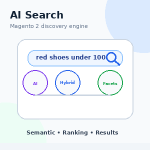
MageHQ AI Search enhances the Magento search journey with semantic understanding and relevance controls. Shoppers can search with natural phrases such as “red dress under 100”, “blue running shoes”, or “lightweight backpack”, and the module can understand product intent, apply matching filters, correct typos, expand queries, and return more relevant products.
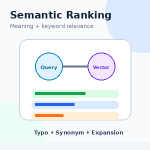
- Semantic Search: Uses vector embeddings to understand the meaning behind shopper queries.
- Hybrid Search: Combines keyword relevance, semantic similarity, and configurable ranking weights.
- Typo Correction: Helps recover searches with misspellings or malformed input.
- Query Expansion: Adds related terms to improve discovery coverage.
- Synonym Matching: Supports one-way and two-way synonym rules for better keyword coverage.
- Native Magento Fallback: Keeps storefront search working when AI services are unavailable or confidence is low.
Smart Autocomplete
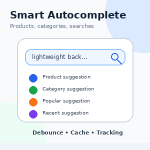
The built-in autocomplete widget improves the search box with instant product suggestions, category matches, popular search terms, recent searches, product images, prices, stock-aware results, and click tracking. It is optimized with debounce control, caching, and rate limiting to keep the storefront responsive even on busy stores.
- Product, category, and popular search suggestions
- Fast repeated-query cache
- Configurable autocomplete delay and maximum suggestions
- Product click tracking from autocomplete results
- Frontend widget compatible with standard Magento/Luma-style search implementations
Smart Filters and Dynamic Facets
MageHQ AI Search can extract high-confidence filters directly from natural language queries. For example, a shopper searching for “red shoes under 100” can automatically trigger color and price intent. The module also supports dynamic facets based on the result set, helping shoppers narrow results by relevant attributes such as price, category, color, size, manufacturer, brand, or material.
- Price intent extraction
- Brand and manufacturer extraction
- Color and size extraction
- Category intent detection
- Dynamic result-set-aware facets
- AI-assisted facet prioritization
Merchandising Rules and Search Redirects
The module gives merchants full control over search results with advanced merchandising rules. Store admins can boost, bury, pin, hide, or custom-sort products based on search patterns, product attributes, categories, stock status, sale status, new products, or high-margin attributes. Search redirects can also send high-intent keywords to custom URLs, CMS pages, categories, or product pages.
- Boost important products for selected queries
- Bury low-priority or out-of-stock products
- Pin featured products or brands to top positions
- Hide unwanted products from specific searches
- Create keyword redirects for campaigns, brands, categories, or landing pages
- Control rules by store view, customer group, priority, and schedule
Analytics and Admin Dashboard
MageHQ AI Search includes a dedicated admin dashboard to monitor search performance and product discovery quality. Merchants can review total searches, no-result searches, click-through rate, order conversion rate, attributed revenue, fallback searches, slow searches, top search terms, and embedding coverage. The analytics grid tracks queries, corrected queries, result counts, clicks, add-to-cart events, orders, conversion rates, and last searched time.
- Search analytics dashboard
- No-result opportunity tracking
- Click, add-to-cart, and purchase event tracking
- Conversion rate reporting
- Embedding coverage status
- Analytics retention and cleanup controls
Index Management and Operations
The extension includes operational tools for managing AI search indexes, vector storage, provider health, queue jobs, cache, and analytics aggregates. Admin users can reindex all products, selected stores, or specific product IDs from the backend. CLI commands are also available for reindexing, testing search queries, checking provider status, clearing cache, syncing synonyms, rebuilding analytics, and cleaning old analytics data.
- Product embedding index management
- Provider and vector storage status checks
- Pending and failed index job monitoring
- Retry failed index jobs
- Clear AI Search cache without clearing unrelated Magento caches
- CLI support for reliable store-scoped operations
Developer-Friendly REST and GraphQL APIs
MageHQ AI Search exposes REST and GraphQL APIs for search, autocomplete, click tracking, and conversion tracking. This makes it easier to integrate AI-powered search experiences with custom frontends, headless storefronts, mobile apps, or third-party systems.
- REST search endpoint
- REST autocomplete endpoint
- Click and conversion tracking APIs
- GraphQL search and autocomplete queries
- DTO-backed API responses for clean structured data
Security, Cache, and Reliability
The module includes public endpoint rate limiting, encrypted API key storage, cache controls, autocomplete TTL, debug timing logs, and low-confidence safeguards. If AI services are unavailable or a semantic result has low confidence, the module can fall back to native Magento search, suppress irrelevant semantic results, or show a proper no-result experience.
- Rate limiting for public autocomplete/API traffic
- Encrypted API key configuration
- Configurable cache lifetime and autocomplete cache TTL
- Low-confidence semantic result suppression
- Native Magento fallback for safer production behavior
- Debug mode and timing logs for troubleshooting
Why Choose MageHQ AI Search?
MageHQ AI Search helps Magento merchants turn the search box into a smarter product discovery engine. It improves the shopper experience with AI-powered relevance, gives merchants direct control over search merchandising, and provides the analytics needed to understand what customers are searching for, where they are getting stuck, and which queries are driving revenue.
Frequently Asked Questions
1. What is MageHQ AI Search for Magento 2?
MageHQ AI Search is an AI-powered product search and discovery extension for Magento 2. It improves the default Magento search experience with semantic search, hybrid ranking, smart autocomplete, typo correction, query expansion, synonyms, smart filters, merchandising rules, redirects, analytics, and index management tools.
2. How is AI Search different from the default Magento search?
Default Magento search mainly depends on keyword matching. MageHQ AI Search can understand shopper intent, product meaning, synonyms, misspellings, and natural language queries. This helps return more relevant results even when customers do not type the exact product name.
3. What is semantic search?
Semantic search allows the search engine to understand the meaning behind a query, not only the exact words. For example, a shopper searching for “sneaker” may also find products related to “running shoes” or “trainers” if they are semantically related.
4. What is hybrid search?
Hybrid search combines keyword relevance and AI semantic relevance. MageHQ AI Search can also use additional ranking signals such as popularity, conversion performance, stock status, rating, category relevance, and sales trends to improve result ordering.
5. Does the module support smart autocomplete?
Yes. MageHQ AI Search includes smart autocomplete that can show product suggestions, category suggestions, popular search terms, corrected queries, product images, prices, and links while shoppers type in the search box.
6. Can AI Search fix misspelled search terms?
Yes. The module supports typo correction and query correction. For example, a query like “iphnoe” can be corrected to “iphone”, helping reduce no-result searches caused by spelling mistakes.
7. Does the extension support synonyms?
Yes. Store admins can create one-way or two-way synonym rules. For example, “sneaker”, “trainer”, and “running shoe” can be connected so customers can find the same products using different terms.
8. What are smart filters?
Smart filters extract product intent from natural language queries. For example, when a shopper searches for “red dress under 100”, the module can detect color, category, and price intent, then use that information to improve the result set.
9. Does MageHQ AI Search support dynamic facets?
Yes. Dynamic facets can return result-set-aware filters such as price, category, color, size, brand, manufacturer, or material. This helps shoppers narrow results using relevant filters based on their current search.
10. Can merchants control search result ranking?
Yes. MageHQ AI Search includes configurable ranking weights and merchandising rules. Merchants can boost, bury, pin, hide, or promote products based on query patterns, business goals, campaigns, stock status, brands, categories, or selected product IDs.
11. What are merchandising rules used for?
Merchandising rules help store owners control search results for commercial goals. For example, merchants can boost best-selling products, bury out-of-stock items, pin featured products, promote seasonal campaigns, or hide products from specific searches.
12. Does the module support search redirects?
Yes. Search redirects allow admins to send specific search keywords to a custom URL, CMS page, category page, or product page. This is useful for campaigns, brand searches, landing pages, and high-intent keywords.
13. Does MageHQ AI Search provide analytics?
Yes. The module includes search analytics for total searches, no-result searches, click-through rate, add-to-cart events, orders, conversion rate, attributed revenue, fallback searches, top search terms, slow searches, and embedding coverage.
14. Can I track product clicks and conversions from search?
Yes. MageHQ AI Search can track product clicks, add-to-cart events, and purchase events. This helps merchants understand which search terms drive engagement and sales.
15. Does AI Search work with large product catalogs?
Yes. MageHQ AI Search is designed for Magento stores with small, medium, or large catalogs. It includes batch indexing, cache controls, index management, queue jobs, and CLI commands to help manage product embeddings efficiently.
16. Do I need to reindex products after installing the module?
Yes. After installation and configuration, you should run a full AI Search reindex to generate product embeddings. Reindexing is also recommended after changing embedding attributes or making major catalog updates.
17. What happens if the AI provider is unavailable?
MageHQ AI Search includes fallback behavior. If the AI provider is unavailable or confidence is too low, the module can fall back to native Magento search to keep the storefront search experience working.
18. Does the module support REST API and GraphQL?
Yes. MageHQ AI Search provides REST and GraphQL APIs for search, autocomplete, click tracking, and conversion tracking. This makes it suitable for custom frontends, headless Magento stores, mobile apps, and third-party integrations.
19. Can I use MageHQ AI Search with a custom theme?
Yes. The module is designed to work with Magento storefront search implementations. For heavily customized themes, minor frontend integration may be required, especially if the theme replaces the default Magento mini search form or autocomplete behavior.
20. Is MageHQ AI Search compatible with Hyvä?
MageHQ AI Search can be integrated with Hyvä-based storefronts, but the frontend autocomplete template may require theme-specific adjustment depending on how the Hyvä search box is implemented.
21. Does the module require an AI API key?
It depends on the provider mode. If you use MageHQ AI Commerce OS or Subscription mode, provider routing, quota, and API key management are handled by MageHQ. If you use Legacy Custom Provider mode, you need to enter your own AI provider API key.
22. Which AI models are supported?
The module supports configurable embedding and correction models. In legacy OpenAI mode, common examples include text-embedding-3-small for embeddings and gpt-4o-mini for query correction.
23. Can I limit public search API traffic?
Yes. MageHQ AI Search includes public endpoint rate limiting for autocomplete and API requests. This helps protect anonymous search traffic from bursts and abuse.
24. Can I disable analytics tracking?
Yes. Search analytics, product click tracking, add-to-cart tracking, purchase tracking, and autocomplete event tracking can be enabled or disabled from the admin configuration.
25. Is customer session data anonymized?
The module includes an option to anonymize session identifiers. This is recommended for privacy-friendly analytics and production usage.
26. How do I clear AI Search cache?
You can clear AI Search cache from the Index Management page in the admin panel or by using the CLI command:
php bin/magento magehq:aisearch:clear-cache27. How do I check if the AI provider is working?
You can use the Index Management page and click the provider check action, or run the following CLI command:
php bin/magento magehq:aisearch:check-provider28. How do I test a search query from the command line?
You can test AI Search from the CLI using:
php bin/magento magehq:aisearch:test-query "red dress"29. What should I do if search results are not relevant?
First, make sure product embeddings are indexed. Then review the attributes used for embeddings, add synonyms for common search terms, adjust ranking weights, check smart filter settings, and use merchandising rules to boost or bury products where needed.
30. Who should use MageHQ AI Search?
MageHQ AI Search is ideal for Magento 2 stores that want better product discovery, fewer no-result searches, smarter autocomplete, improved search relevance, stronger merchandising control, and actionable search analytics.
You can not add the review on this product as you have not purchased this product yet.
Why Choose MageHQ?
MageHQ develops reliable Magento 2 extensions focused on performance, compatibility, and simplified store management workflows.
Magento-Focused Development
We specialize in Magento 2 extensions built specifically for real-world eCommerce workflows and Magento store operations.
Clean & Optimized Code
Extensions are developed following Magento coding standards to ensure stability, performance, and maintainability.
Fast Technical Support
Our support team is available to help with installation, configuration, compatibility, and extension-related questions.
Easy Installation & Configuration
Simple installation and user-friendly configuration help merchants and developers get started quickly.